Before & After Website Updates: The Key Metrics to Track for Real Results
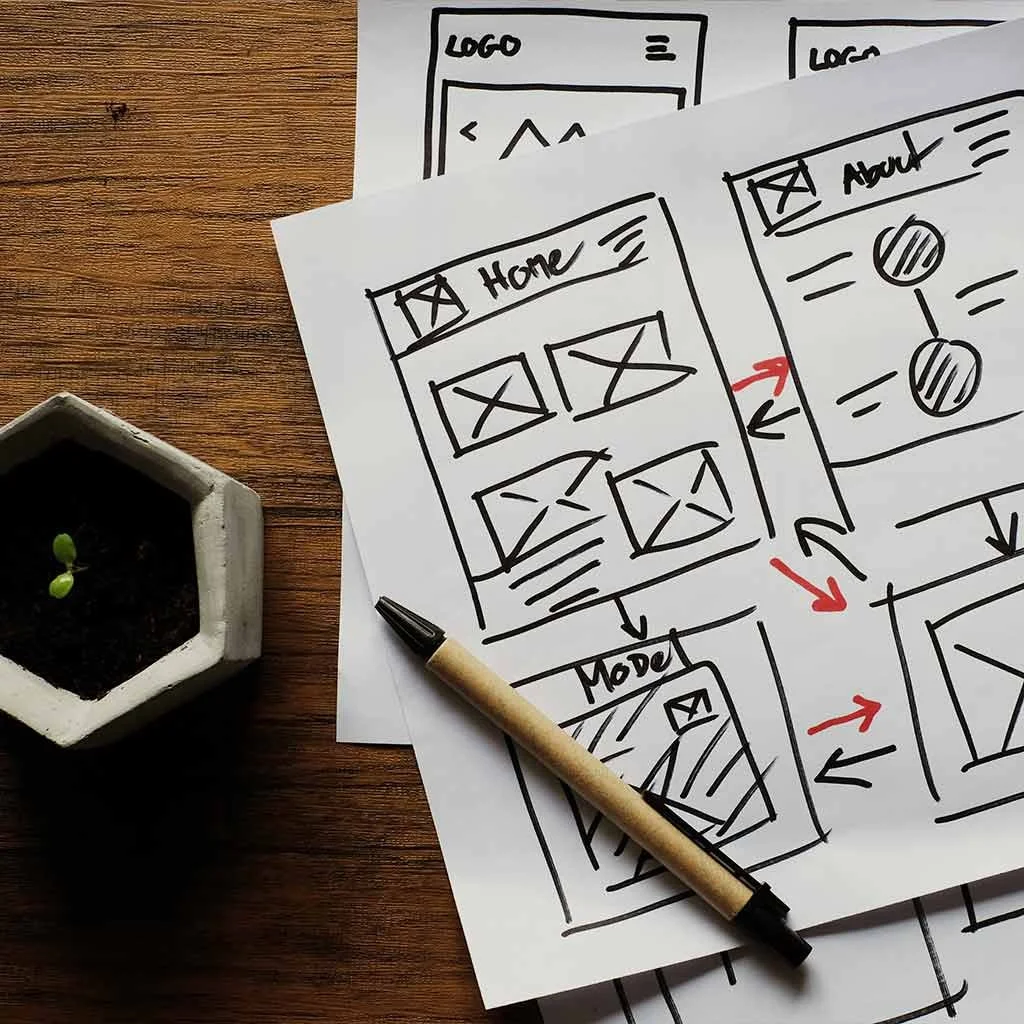
If you’ve ever refreshed your website—tweaked the homepage, cleaned up your navigation, updated your branding, or optimized for search—you know the feeling. You hit “publish,” take a breath, and hope the changes do what they’re supposed to do.
But here’s the thing: website improvements aren’t actually improvements unless you can measure what changed.
Today we’re digging into exactly what to track before and after you make updates to your small business website. If you’ve worked with us at Rinehart Marketing, you know we love pairing strategy with data. It’s like checking on your garden—watering is great, but you also need to see what’s sprouting.
And to get those insights, you need the right metrics.
Below are the four core areas most small businesses focus on when refreshing a website. I’ve ordered them so we start with the design updates (what most owners see) and end with SEO improvements (what takes the longest to show results).
Let’s dig in.
1. Design & Branding Consistency: Measure Engagement Changes
Most businesses start their website updates with visual improvements—cleaner layouts, more consistent color palettes, updated photography, refreshed messaging, and a clearer aesthetic.
Done well, design improvements should help your site feel more aligned with your brand and create a smoother experience for your visitor. But beyond the visual appeal, design impacts behavior. And behavior is measurable.
Which metrics matter?
Depending on your business type and goals, the “right” direction for engagement may look different.
Two metrics in GA4 will tell you most of what you need to know:
Average Engagement Time
Average Session Duration
What increased engagement can mean:
If your website is educational, content-rich, or designed for exploring—think interior designers, wellness providers, home builders, local tourism, or any business with multiple service pages—then a higher engagement time usually means:
visitors find the content helpful
your design supports reading and clicking
the path from page to page feels natural and compelling
It’s a sign that your updated brand consistency is helping people stay longer and move deeper.
What decreased engagement can mean:
If your goal is to get people to take action quickly—book now, schedule a complimentary consult, buy a low-commitment service package—then a lower engagement time can be a sign of improved clarity.
For businesses where the ideal user flow is short and direct, streamlined design often:
reduces confusion
removes unnecessary clicks
guides people straight to the next step
It’s the equivalent of pulling a few weeds and making the path clear again.
So don’t assume “longer is always better.” Context matters.
2. Navigation & Calls-to-Action: Measure Conversion Improvements
Clean navigation and prominent, well-placed calls-to-action are the workhorses of a successful website. This is where design meets strategy.
If your update included reorganizing your menu, simplifying your footer, refining page hierarchy, or making your contact/booking buttons more visible, the next question is simple:
Are more people taking the action you want them to take?
What to track in GA4
You’ll want key events set up for each important action on your site. Examples include:
“Book Appointment” button clicks
“Contact Us” form submissions
“Call Now” tap-to-call actions
“Learn More” click-throughs to priority pages
If you don’t already have these events configured, that’s step one.
The most important metric
While total conversions matter, what you really want to watch is:
Conversion Rate = # of conversions / # of sessions or views
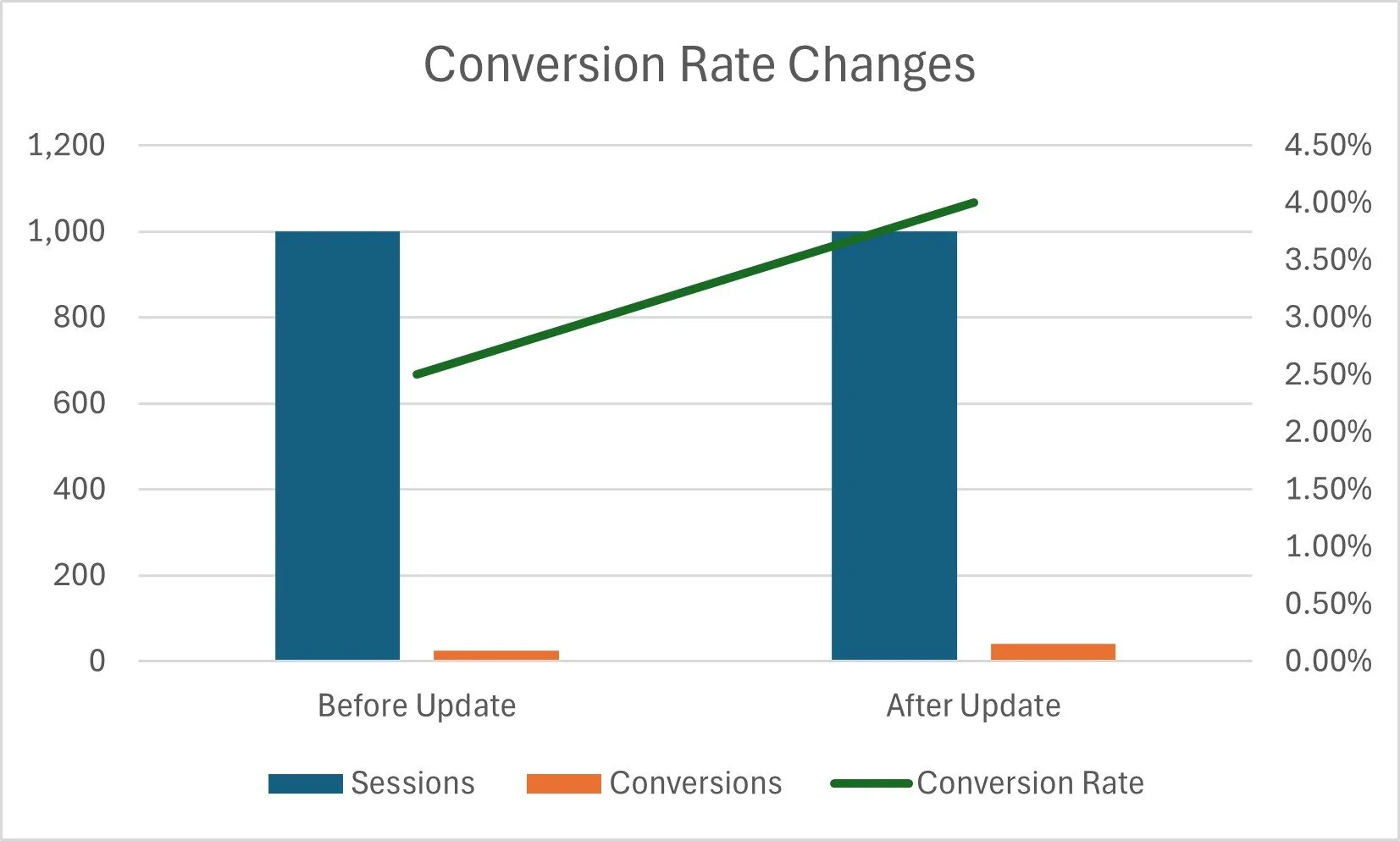
Sample data: conversion rate improved even though traffic didn’t change
Here’s why:
If you made your buttons more prominent or improved your navigation, you should expect a higher percentage of visitors to take the next step—even if overall traffic stays the same.
Better wayfinding = better results.
A bump in conversion rate is one of the clearest signs that:
users understand where to go
your CTAs are clear and compelling
your updated navigation is doing its job
This is often one of the quickest improvements to see after a website refresh.
3. Homepage Improvements: Measure Visitor Path Changes
Your homepage acts like a welcome gate—it sets expectations and guides visitors toward the pages that matter most.
If you improved your homepage layout, headline clarity, featured services, hero section, value proposition, or featured calls-to-action, it’s time to look at path details in GA4.
What to track
In the Path Exploration report, look for:
Which pages visitors click immediately after the homepage
Whether the number of visitors moving deeper into your site has increased
Whether the pages you want them to visit now appear higher on the list
Whether fewer people are dropping off after viewing only the homepage
What improving path behavior looks like
After a homepage update, you ideally want to see:
clearer movement toward your core revenue-generating pages
fewer zigzags or confusion paths
fewer “dead ends”
more consistent journeys from homepage → service page → CTA
Think of this like training new growth in the right direction. You're guiding visitors along a trellis instead of letting them wander wherever the wind blows.
4. SEO Improvements: Measure Organic Search Growth Over Time
While the other metrics can shift almost immediately, SEO is the slowest of the garden beds. If your website updates included:
copy updates
metadata improvements
accessibility fixes
internal linking
technical cleanup
improved headers
strategic keyword usage
…your best tracking tool is Google Search Console (GSC).
What to watch
Organic traffic trends
Impressions (how often your site appears in search results)
Clicks
Average position
Changes in queries you show up for
Because of the rise in AI overviews and search result changes, organic click-through rates have been declining across industries. So impressions are becoming an even more important indicator of progress.
Timeline expectations
For most small businesses, meaningful SEO change takes 3–6 months or longer if your organic traffic volume is low.
So don’t be discouraged if improvements take time. SEO is a long game, and consistency matters more than quick wins.
Bringing It All Together: Your Website Update Measurement Plan
Here’s a simple baseline strategy we recommend to all our clients:
Before your website update:
Create your key conversion events if you don’t already have them (we can help with this!)
Capture/export key metrics from GA4 and GSC
Capture screenshots or CSVs of your current performance
Note any problems you aim to solve
After your website update (2–4 weeks later):
Check engagement metrics
Check conversion rates
Check homepage paths
After 3 months:
Compare organic impressions and queries in GSC
Review internal search terms (if applicable)
Reassess whether your updates are meeting your “why”
Your website is one of your hardest-working marketing tools. When you know what to measure, you can make improvements with more confidence, and you can see exactly how your efforts are paying off.
Conclusion
If you’re planning website updates—or you’ve recently launched a new version—now is the perfect time to capture a “before and after” look at your metrics. These insights help ensure your improvements are actually working for your business, your goals, and your users.
Ready for more support?
Download our Free Website Audit Checklist
Take a look at our website audit guide, and then get our step-by-step checklist to review your site for usability, branding, and SEO.
Want help evaluating your website metrics?
We’re happy to conduct a website audit and recommend the right updates.
Need help making changes based on what you find?
We can implement improvements—from navigation clarity to homepage reorganization to SEO updates.
Your website should grow with your business. Let’s help it do that.